The Stratford program supports the ANSI X.12 transaction set
Previous to 2008, the program defaults to version 4010 A1 for these transaction sets:
270/271 eligibility
276/277 claim status
837/835 claims / EOB
997 Functional acknowledgement
You can change the version for any specific payer/clearinghouse. In other words, you can transmit directly to Blue Cross using version v4010 A1 and to Medicare using v5010 A1. Depending on how you setup your database, these versions will be sent in one of three different formats: Professional, Industrial, Dental.
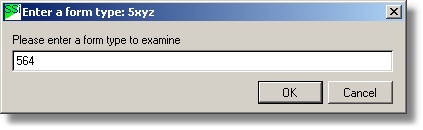
From the main directory select #8, #7, #3. Enter the 'form type' of the payer/clearinghouse (the receiver of your claims) . Example 564 (same as 964)
On the insurance control file screen, select the 'EDI Type M6R964.DAT' tab.
Here is how you can easily change your current v4010 transmission to v5010. Simply click the 5010 link on the screen below. Your payer may want you to first test with several claims before you can transmit in 'Production' mode. They may want you to test in 'Test' mode. This varies from payer to payer. If you need to transmit in test mode, simply right-click on the ISA15 text box or click the Test link.
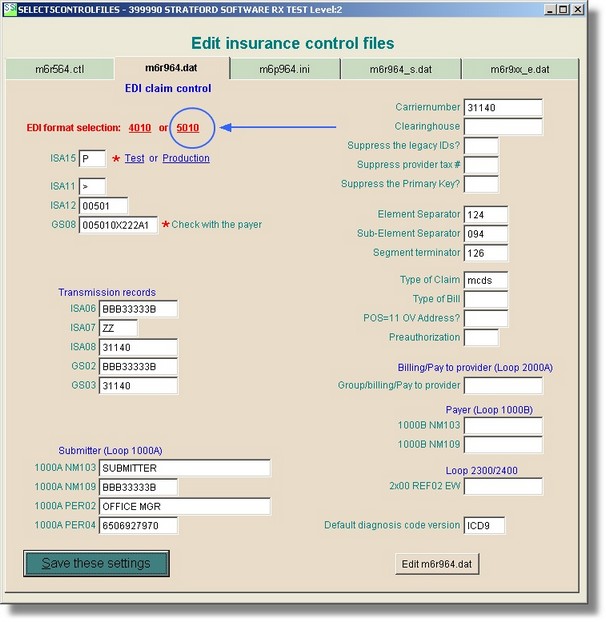
If you want to change back to v4010, simply click the 4010 link on the screen above.
The information above works for most payers.
Any specific payer may require something that is not in the published specs so you may need to check with them.
Below are the individual text boxes that you may need to change and some more information.
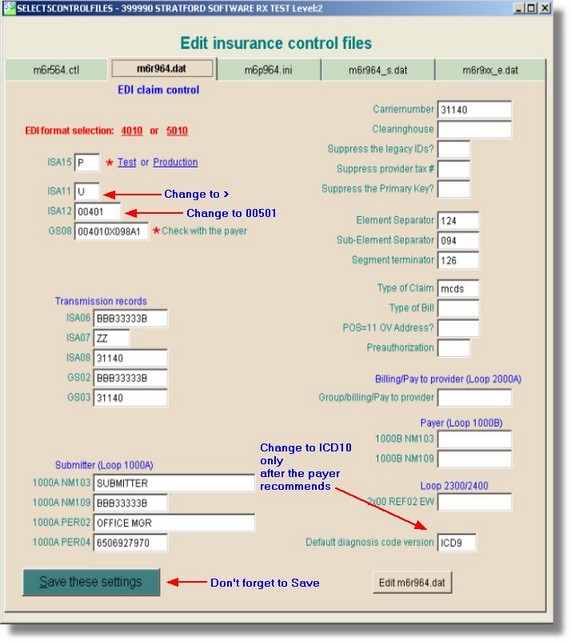
Look on the left side in the 'Transmission records' section. Change ISA11 to the 'greater than' sign: > (or whatever the payer recommends)
Look on the left side, about midway down to the two text boxes in the section labeled 'EDI format'. Note that it is presently set up for
'Professional v4010 A1'
We will change that to 'Professional v5010 A1'. Right click on the ISA12 text box and select 00501. The reason is that you want this value to appear in the ISA segment, 12th element. This the 1st record/line of the file that you transmit to the payer. That will tell the payer/receiver to expect this specific type of 'package'. The ISA segment is a fixed length record. Example:
ISA|00|..........|01|SECRET....|ZZ|SUBMITTERS.ID..|ZZ|RECEIVERS.ID...|012007|1044|^|00501|000000905|1|T|^~
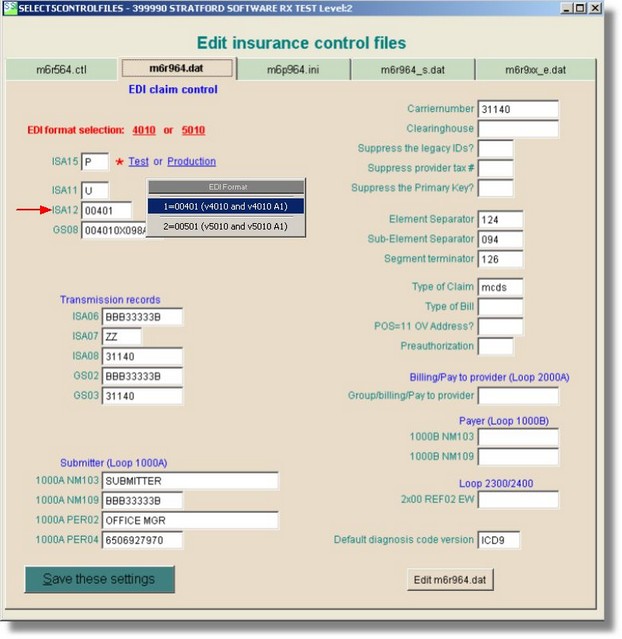
Next, right click on the 'GS08' textbox and select 005010X222 (or the correct selection).
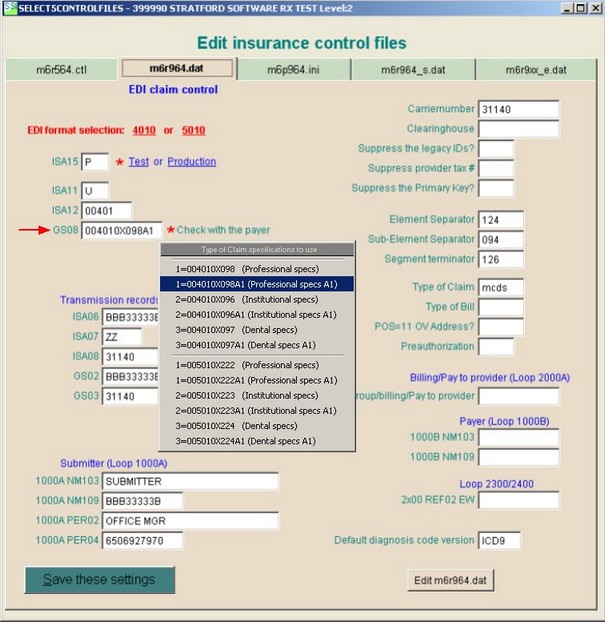
This value will appear in the 'GS' segment, 8th element. Example:
GS|XX|SENDER CODE|RECEIVERCODE|19991231|0802|1|X|005010X222A1~
Here is an example of a finished screen - 3 things changed - ready to transmit in v5010
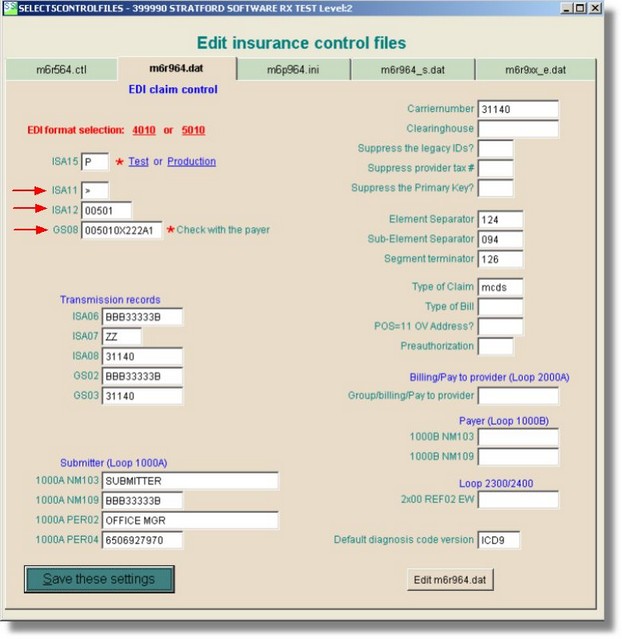
That is all there is to it as far as the Stratford program requirements!
Your payer/clearinghouse/receiver may have other requirements: test files, different ID/password, and other items. Generally they will publish a date for the changeover and give you the information that you need. You can contact the Stratford support team to help you as needed.