In the SSI® system this report is named the Transaction and Deposit Slip Audit. When you balance and audit your transactions, you will automatically create this report. See Balancing Your Entries for more information.
Day Sheet
| • | Lists all transactions posted since last day sheet |
| • | Creates a deposit slip |
| • | Breaks out payments by type cash, check, credit card |
| • | Shows beginning and ending accounts receivable |
| • | Totals charges, adjustments and payments |
| • | Can be compared to appointment schedule to make sure all patient visits have been entered into computer |
| • | Makes dollar amounts posted permanent to protect practice from embezzlement |
Deposit Slip
The program will create a deposit slip on the right hand side of the Day Sheet. You have the option of getting an additional deposit slip on a separate page that prints after the day sheet. You may attach the additional deposit slip to your bank deposit. To activate the additional deposit slip, you must set up a deposit template file by the name of DPSLIP.DAT in your account.
The 601 (batch audit) can be created and printed in Alphabetical or Numerical order. You can change one of the main control variables. From the main menu select #8, then #1. When you get to the 'Master Settings' screen, select the 'Printing' tab.
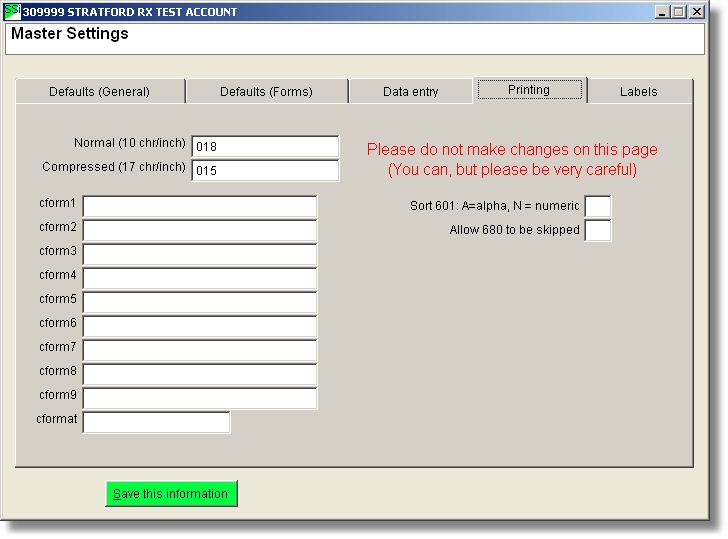
Here you can change the sort order for the 601 report.