|
| 1. | First you must be in the System Management Directory. To get to this screen you must select File and System Management from the Accounts Receivable (main) directory. |
| 2. | From this screen you must select Provider, Payer, Employer, Refer, UPIN, Subscriber, etc. This will take you to the Lookup name maintenance screen. |
| 3. | From this screen you must select Maintain the Subscriber Names. This will take you to the Lookup Insurance Subscribers Screen. Here you must click on the subscriber you wish to edit and then click the Edit/Revise button. |
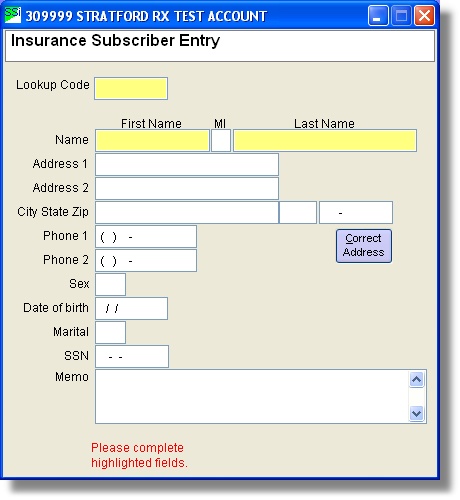
| 4. | You will be taken to the New Insurance Subscriber Entry screen. Here you can make any necessary changes. When you are finished click the Save this Information button. |
|