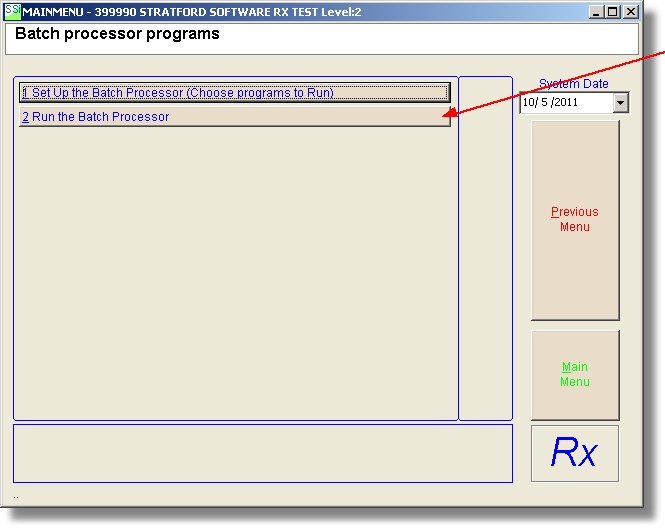
Batch Processor
This function will run one or more programs without having to select them from the menus.
From the main directory select #1, then #3, then #1 to set up the batch processor:
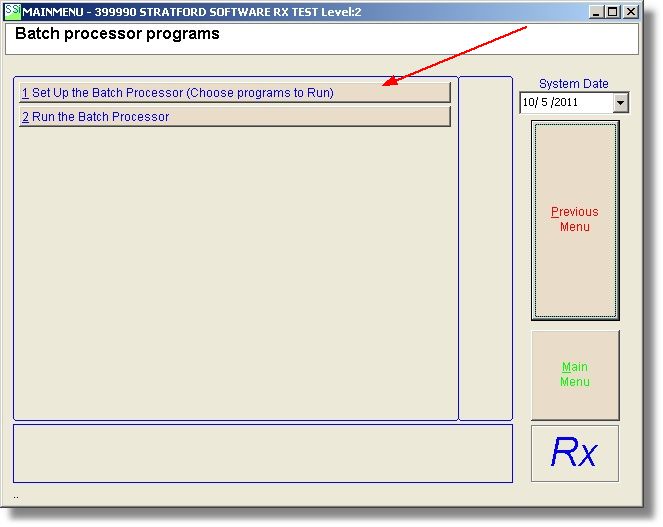
You will see this screen:
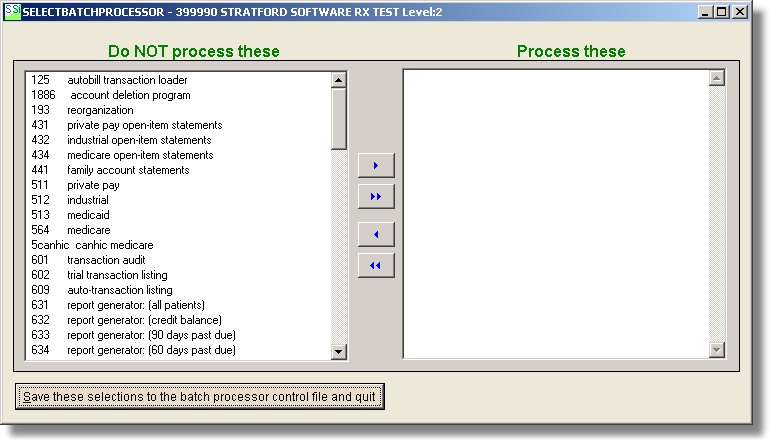
All of your potential programs are on the left. If you already had a batch processor control file set up, you would see its contents on the right.
You can drag any programs you want to run from the left to the right, or you can highlight one or more programs and then use the arrow button to move them to the right. For example, you want to run 4 insurance claim programs: 511, 512, 513, 564
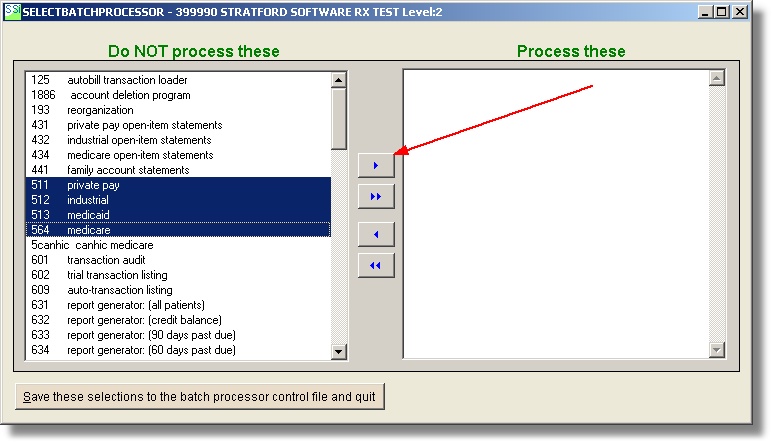
Press the top button to move these 4 selections to the right pane.
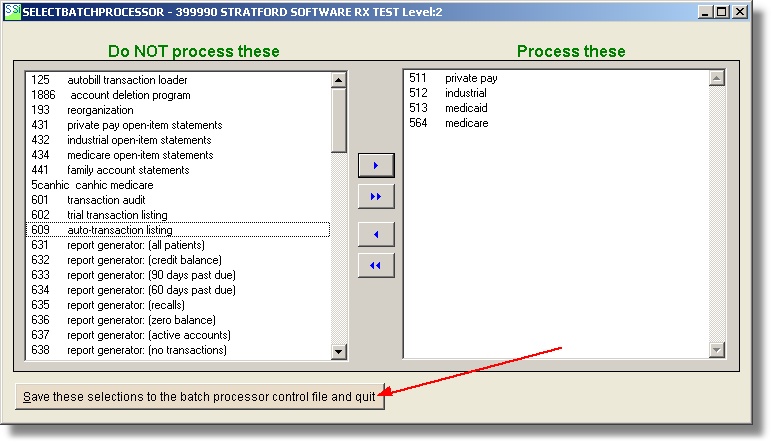
That is all there is to it. Press the Save button and you will return to the batch processor menu. You do not need to run these programs now. You can set up these 4 programs, then continue with your data entry and return to set up another program anytime.
We recommend that you only run these programs at noon or after other people are not trying to do data entry. These statement, insurance, and report programs 'hog' memory and run at full speed. This will make it difficult for other people to work in the system because their performance will be affected.
When you are ready to process the programs you have set up, press #1 on the batch processor menu: