How to add an 'open item' billing account
Q: What is the purpose of this utility?
A: Here is an example: This utility is used to add a billing account to existing patients. For example, you converted your data from the old 'DOS' compiled version of Stratford. You have been a Stratford client for more than 20 years and you have many patients that you have been using 'on account' posting with a certain financial class. Now you want to begin 'open item' posting so you can take advantage of auto EOB posting, secondary billing and many other advantages of open item posting.
Solution:
From the main menu select #8, #3 (the 'reorganization' menu).
At this time we have this utility under #10:
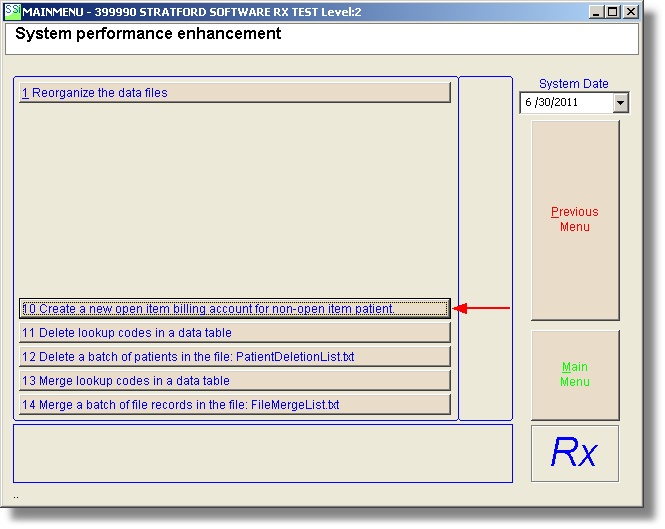
When you select this utility you will see this message:
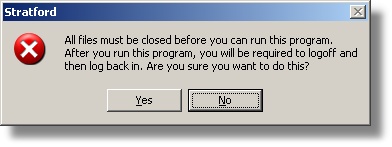
This is a similar message that you see when you run the reorganization program. The reason is that this utility has the ability to open all databases and all data tables. It will close them when it finishes, but you must start from the beginning before you can continue with data entry. We recommend that no one else should be working in the program (if you have a network with several workstations) because of possible conflicts that could cause the utility to fail.
If you select Yes, you will see the utility screen. The first text box needs the old financial class lookup code.
This utility will set up a new open item financial class with the same lookup code. This utility will rename the current lookup code for the non-open-item financial class so that it has "-X" appended.
Example: 04 will now be 04-X for the non-open-item financial class and the new open item financial class will be "04". All patients that have a billing account with the old non-open-item financial class ("04") will be given a new billing account with the new open item financial class named "04" in addition to their old non-open-item billing account. They will keep their old non-open-item billing account with all transactions, insurance, etc. The new open item billing account will not have any transactions but it will have all the insurance, claim questions and anything else (other than transactions) that were associated with the old non-open-item billing account. This allows you to continue billing the old transactions as usual and begin billing all new transactions with the open-item method.

We would appreciate your feedback for any of our screens.