How to delete a lookup code (also a patient ID)
This utility can cause you to lose data if you do not understand what it does. Before you use it, you must have a good backup and you must know how to restore that backup. Stratford cannot help you recover any deleted records after you use this utility except by using a backup.
Q: What is the purpose of this utility?
A: Here is an example: You have some information in your database that you want to eliminate. This might be an insurance company name that you never used and do not want. It could be a patient that has not returned in years and/or you know that this was a one-time visit and you simply want to delete that patient. We do not recommend this as we think you should keep your history for possible reporting in the future. It is your database and your information so the decision to delete is your decision.
Solution:
From the main menu select #8, #3 (the 'reorganization' menu).
At this time we have the delete utility under #11:

When you select #11 you will see this message:
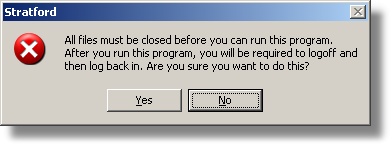
This is a similar message that you see when you run the reorganization program. The reason is that this utility has the ability to open all databases and all data tables. It will close them when it finishes, but you must start from the beginning before you can continue with data entry. We recommend that no one else should be working in the program (if you have a network with several workstations) because of possible conflicts that could cause the utility to fail.
If you select Yes, you will see the utility screen. The first text box needs the name of the data table that has the lookup codes that you want to delete.
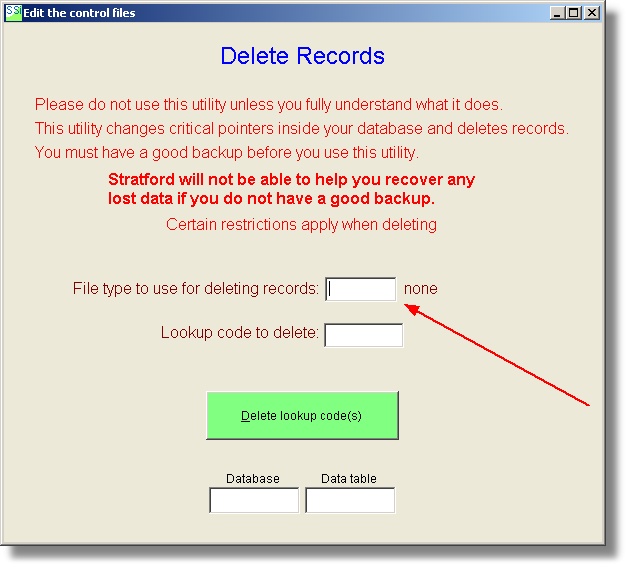
If you right click on this text box you will get a short cut menu with the possible files with lookup codes that can be deleted.
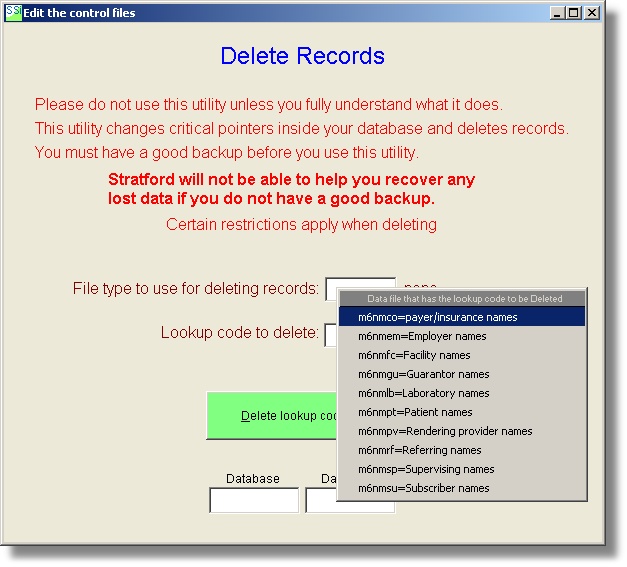
For this example, we will delte a lookup code in the insurance data table. Choose the first menu selection named:
m6nmco=payer/insurance names
The second text box is for the lookup code that you want to delete.
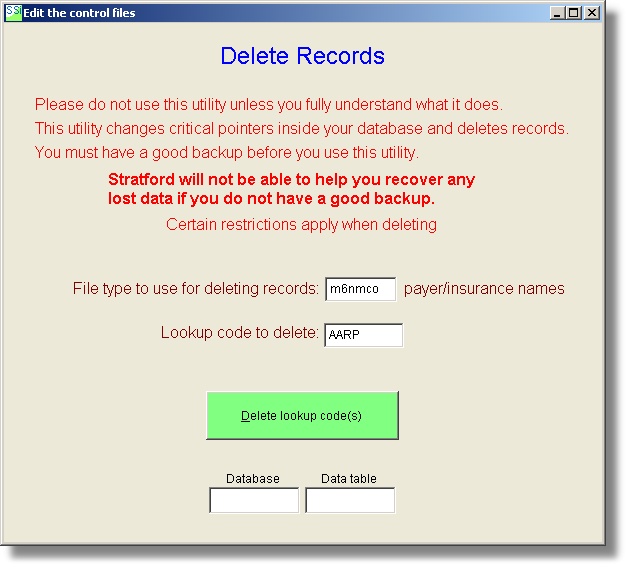
If the delete process is successful you will get a confirmation message. The screen above will remain in view so you can delete other lookup codes.
You could delete 5 more codes in the insurance data table and then delete some lookup codes in the laboratory or referring provider or other data tables.
If you have a lot of Patient billing accounts to delete, you can do this with the Batch Delete Utility. Remember that you cannot delete a patient account unless you first balance all transactions and print the two audits: 601 and 680. The patient balance must be zero for the billing account you want to delete.
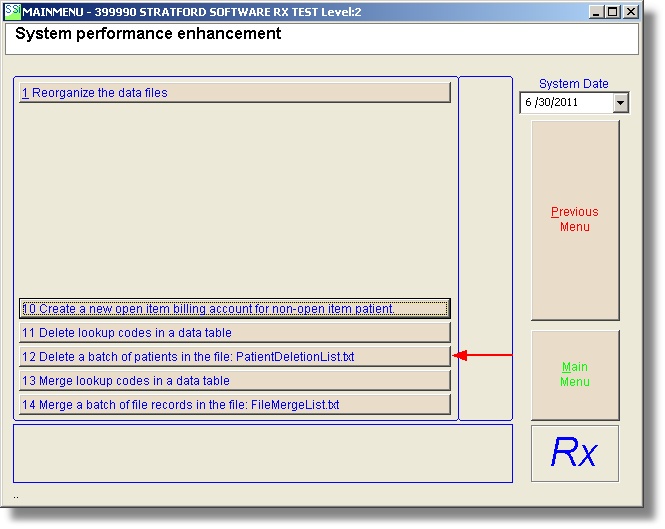
To use this utility, you must first setup a text file named PatientDeletionList.txt in your a/r folder (ex: \Stratford\ssiwin\399990 ) with this type of layout:
PatiendID BillingAccountCode AnyOtherDescriptionTextThatYouWant
Here is an example:
PatiendID BillingAccountCode AnyOtherDescriptionTextThatYouWant
56789 NHIC This text is for your eyes only. the software will ignore it
54-90 ALBCBS This text is for your eyes only. the software will ignore it
8092-V9S 01XY Louise Smt 10/5/2010 and any other text you want
Y84391 04323 some name or other text here
Notice there is at least one space (or tab or comma) between the patient ID and the lookup code that you want to delete.
Remember that when you 'delete' something from your database, it is not really deleted/erased but rather it is 'marked for deletion'. The only way to get it out of your database and recapture the space is to reorganize your files.
We would appreciate your feedback for any of our screens.