This section is for those people who have a
paid software support agreement with Stratford
From the main menu, select #8, then #10
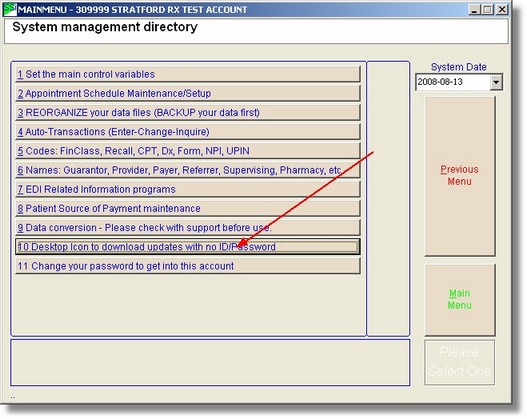
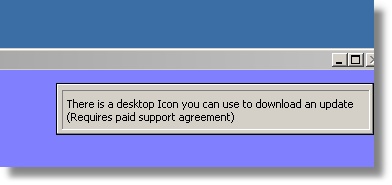
To run the 'Stratford Access' program, you must leave the regular Stratford program. If you have a network with other users who can access the Stratford program, you must ask them to leave until you have finished installing the update.
In order to use the 'Stratford Access' program, you must have Internet access such as DSL or Cable modem. This program will not create a connection for you. Dial up connections usually are not successful because the web site will 'time out' on slow connections. Also, the update is larger than 140 megabytes (140 million characters). With a standard DSL connection, the download will usually take 20 - 90 minutes depending on the speed of your connection.
Now you can click on the new desktop shortcut icon:
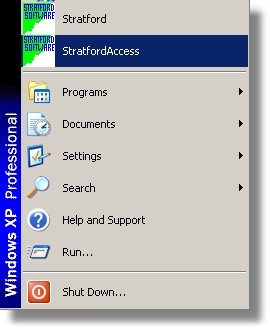
You will see the Stratford Access program.
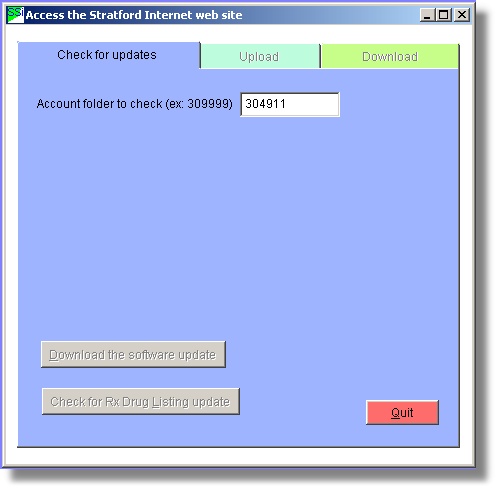
Put in your Stratford billing account number that appears on the monthly statement. For most clients, this will be your main login: a 6 digit number such as 309999. Then press tab or return to activate the 'Check for updates' button.
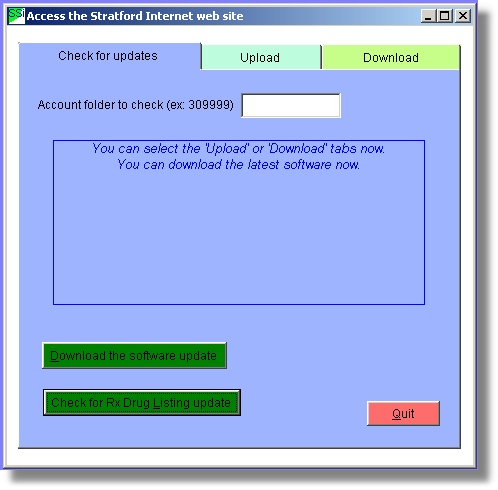
Your account will be checked for active support. Your present version of the Stratford program will be compared with the latest version available for downloading. If there is a later version, you will see a message (like the one above) saying that you may download the latest version. After you download the file, a desktop shortcut icon will be placed on your desktop that will allow you to install the update.
The update will be downloaded to your computer in this folder: C:\Temp. If anything interrupts the installation, you can simply click on the icon to reinstall. After you have installed the new version, you can delete the desktop icon if you want as it will not be used with any other updates.